Showing posts with label Blogger Template. Show all posts

Converting Wordpress themes to Blogger Templates

It's being longtime I have ripped a Wordpress theme to use in Blogger Beta. Many users ask me for wordpress theme conversion in Google talk. I thought it would be great to open a thread in Techie blogger itself , so that all my readers can give me suggestions. I can rip any existing wordpress theme to blogger template or I can customize your existing Blogger template.


Some Blogger use to demand money to rip wordpress themes to blogger templates , But I am going to do this for free. So No need to pay 10$ for any site to get your desired wordpress theme to use in Blogger. You can request conversion of any wordpress theme here via comments. If more users recommend the same theme or if I feel it to be a professional one, I will rip that wordpress theme to Blogger Beta Template.

Customizing Blogger Templates

If you have any errors in Blogger templates , then you can contact me via gtalk. I can help you to fix errors online itself.

You can contact me via Google Talk for any of these services :

  1. Ripping Wordpress themes to Blogger templates

  2. Fixing errors in Blogger Templates

  3. Making your CSS code compatible for all browsers

  4. Fixing XML or CSS errors

  5. SEO tips

Digital Statement Blogger Template

One of my Blog reader , requested me to convert Digital Statement wordpress theme to blogger. The wordpress theme was developed by Blog Oh Blog. This is a professional theme with lots of new features available.


Main features of this template:


  • Header with a search widget on right :


  • This is the code i have used

    <div id='searchbox'>
    <form action='/search' id='searchform' method='get'>
    <input class='swap_value' id='s' name='q' type='text' value=''/>

    <input alt='Search' id='go' src='http://i624.photobucket.com/albums/tt327/digitalstatement/go.gif' title='Search' type='image'/>
    </form>
    </div>


    you can see this code if you check expand widgets box in layout page. If you want to show your own adsense search box then just replace this code with your adsense search box code.

  • Two navigation widget available.


  • This is the code I have used
    <div id='nav'>
    <ul>
    <li class='page_item'><a href='http://techieblogger.com/'>Home</a></li>
    <li class='page_item'><a href='http://www.wordpress.org' title='Wordpress'>Wordpress</a></li>
    <li class='page_item'><a href='http://www.blogger.com' title='Blogger'>Blogger</a></li>
    <li class='page_item'><a href='http://www.techieblogger.com' title='Taking Blogger to Next Level'>Techie Blogger</a></li>
    </ul><div class='clearfloat'/>

    <ul id='cat'>
    <li class='cat-item'><a href='http://www.techieblogger.com' title='View all posts filed under Blockquotes'>admin</a></li>
    <li class='cat-item'><a href='http://www.techieblogger.com/2008/07/page-navigation-hack-for-blogger.html' title='Page Navigation Widget'>Numbered Page navigation</a></li>

    <li class='cat-item'><a href='http://www.techieblogger.com/' title='View all posts filed under Lists'>Author</a></li>
    </ul>
    </div></div>


    replace all the links with your own links. If you are satisfied with just one navigation widget and want to show adsense 726x15 ad link unit then you need to edit the second navigation code with this.

    <ul id='cat'>
    < ---- adsense code here --- >
    </ul>


  • Related Posts Widget with custom CSS is included in this template with print option.


  • Comments with unique CSS style and showing author comments in different style is included.


  • If you want to show your own avatar then search for this code in the edit HTML tab pge with expand widgets box checked.

    http://www.gravatar.com/avatar.php?gravatar_id=ef6eb8d01747fd1846efd0227517ca1c&rating=R&size=36

    replace that url with your own avatar url.

  • Two Tabbed Navigation Widget is included in Sidebar. If you want to change the titles of the tabbed navigation , then search for this tag in EDIT HTML page.


  • <div class="tabbertab" title="Recent Post">

    similarly you can change the titles of other widgets also.

  • Three column footer section is available in this template.

  • I haven't included the featured post hack in this template , because most of the blogger users won't use that. if you want to add that featured post widget then add the following java script above </head>

    <!--SmoothGallery Starts-->

    <link rel="stylesheet" href="http://wpthemes.blogohblog.net/wp-content/themes/Digital_Statement/js/smoothgallery/css/jd.gallery.css" type="text/css" media="screen"/>
    <script type="text/javascript" src="http://wpthemes.blogohblog.net/wp-content/themes/Digital_Statement/js/smoothgallery/scripts/mootools.v1.11.js"></script>
    <script type="text/javascript" src="http://wpthemes.blogohblog.net/wp-content/themes/Digital_Statement/js/smoothgallery/scripts/jd.gallery.js"></script>
    <!--SmoothGallery Ends-->


What's Next ?


With So many new features available , hope everyone will like this template.

Download | Demo


Guys I am giving this template as free so please don't remove the footer credits


Hope you Guys will like this template.. if you are really impressed by my hard work then please make some donations.


See you soon with a new template.

update :

if you want to remove one of the tabbed navigation Widget then do the following step.

Go to Layout page of your template and then navigate to EDIT HTML sub page. There search for the following tag

<div id='tab'>
<div class='tabber'>

<div class='tabbertab' title='Archives'>

<b:section class='tabber' id='tab1' preferred='yes'>
<b:widget id='BlogArchive1' locked='false' title='Blog Archive' type='BlogArchive'/>
</b:section>

</div>

<div class='tabbertab' title='Categories'>


<b:section class='tabbertab' id='tab2' preferred='yes'>
<b:widget id='Label1' locked='false' title='Labels' type='Label'/>
</b:section>
</div>

<div class='tabbertab' title='Tag Cloud'>

<b:section class='tabbertab1' id='tab3' preferred='yes'/>
</div>

</div></div>


remove this whole code.

If you need any other customization let me know..

Premium Quality Brownish Blogger template

Today I am Going to Publish my Fourth three column Blogger template. I hope among those Four Blogger templates this is the best one. It's a premium quality Brownish Blogger template. This Blogger template consists so many new features. let's see few among them

1. Twitter like news Widget or Adsense banner ad

There is a HTML / Javascript Element in the header section. You can use this widget either for displaying twitter like site updates or you can just place Adsense or Adbrite Ads.

Adding adsense ad is easy , so Now I will tell How to add the Twitter like news widget.


The CSS code required for this hack is already included in the template. So Now we just need to add the following code in the HTML widget found beside the header.

<div id="twitter-like-news" rel="nofollow">

<b:if cond="data:content == &quot;&quot;">
<em> Site Message </em><h1>type the text you want to display here</h1>

</b:if>
<data:content/>
</data:content></div>

Change the text in red and green to suit your blogger template.

2. Top Navigation Widget

In the layout section of your blog , you can see a HTML/ Javascript widget. There you can put the links you want to display.


<ul>
<li><a href="/">Home</a></li>
<li><a href="http://rias-techno-wizard.blogspot.com/search/label/Blogger%20Template">Blogger Templates</a></li>
<li><a href="http://rias-techno-wizard.blogspot.com/search/label/Blogger%20widget">Widgets</a></li>
<li><a href="http://rias-techno-wizard.blogspot.com/search/label/Blogger%20Hack">Blogger Hacks</a></li>
<li><a href="http://feeds.feedburner.com/TechnoWizard?format=xml" rel="follow"><span style="color: rgb(255, 102, 0);">{Subscribe}</span></a></li></ul>

Customize the text in red and green to suit your blogger template.

3. Page Navigation widget :

The Page navigation widget in the blogger template has the css code like in my blog.

4. Three column Footer section.

This is one of the special features of this template. This template has a three column footer section in a unique style. I will write a post on this hack soon.

There is a Blog archive widget already included in the footer section. there please change the appearance of the widget to drop down menu type.

5. SEO ( search Engine Optimization ) title hack included

6. Favicon is also included , just change the image url with your own image url.


if you going to change your current blogger template with this one , then please look at this article so that you can change the template without loosing your widgets.

License: This work is done under creative commons license 3.0 . i have spent some 3 hours to create this template. So please don't remove the footer credits.

if you guys want any modification in this template then please send your suggestion to mohamedrias1103@gmail , I can modify this template to your wish for free.

Demo : Blogger Accessories


Premium quality brownish Template


I hope you will like this theme for sure . Very few Blog themes are there with professional look. I am sure that this theme is also one among them.

I can also convert wordpress themes to Blogger xml templates. if you are really inspired by any wordpress themes let me know , i can convert that template to you for free.

DailyPress - Blogger Template

First of all i want to say sorry to you all because I haven't wrote any post since last week. My college started last week so I was busy in preparing for my exams. So hereafter i will try to write at least 3 post every week.

On Last Monday itself i converted Daily Press Wordpress theme to blogger , but due to my exams I was unable to publish that on Monday.

Daily Press is a wordpress theme created by Blog Oh ! Blog .Let us see the main features of this theme

See the Screenshot of this DailyPress Blogger Template

Main Features of DailyPress :

* Search form is included in the right hand side of header.

- I have already wrote an article on " Adding Search Form to Blogger " .

The code for the hack is given below ( if you delete it by mistake then you can copy the code here )

<div id='topsearch'>

<form expr:action='data:blog.homepageUrl + &quot;search&quot;' id='searchform' method='get' name='searchform'>
<b:if cond='data:title'/>
<input class='s' id='s' name='q' onblur='if (this.value == &apos;&apos;) {this.value = &apos;&apos;;}' onfocus='if (this.value == &apos;&apos;) {this.value = &apos;&apos;;}' type='text' value=''/>
<input alt='Search' id='go' src='http://i263.photobucket.com/albums/ii150/mohamedrias/go.gif' title='Search' type='image'/>
<data:content/>
</form>

</div>


* Below Header there is a Navigation menu

In the Edit HTML page of your template search this code

<li><a href='http://rias-techno-wizard.blogspot.com/search/label/Blogger%20Template'>Blogger Templates</a></li>
<li><a href='http://rias-techno-wizard.blogspot.com/search/label/Blogger%20widget'>Widgets</a></li>
<li><a href='http://rias-techno-wizard.blogspot.com/search/label/Blogger%20Hack'>Blogger Hacks</a></li>
<li><a href='http://feeds.feedburner.com/TechnoWizard?format=xml' rel='follow'><span style='color: rgb(255, 102, 0);'>{Subscribe}</span></a></li>


Edit the text in green and Red to suit your template.


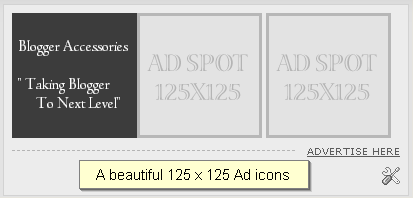
* Three 125 x 125 ads placement widget on sidebar

DailyPress Blogger template by Blogger Accessories

- Use the below code to set up this widget.

<a href="#" class="ads"><img border="0" alt="Ad" src="http://wpthemes.blogohblog.net/wp-content/themes/dailypress/images/ad250.gif"/></a>
<div class="clear"></div>
<p><a href="#" title="Advertise Here">Advertise Here</a></p>

please change the text in red to suit your template

* A tabbed Navigation Widget on sidebar. I will write a post on this soon.

By default i have included three titles like " Recent Post " , " Recent Comments " and " Popular posts ". If you want to change the titles then go to layout section of your blog. then Navigate to Edit Html subtab. There search for those three titles " Recent Post " , Recent Comments and Popular Posts . Rplace them with the title you want.

* Social bookmarking Widget with custom CSS is also included.

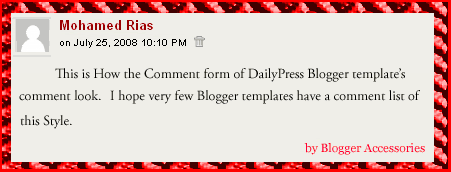
* Comment form of unique style is included.

 Comment Form with separate icons for Admin and Other People

* Related Posts Widget included and

* Page Navigation hack is also Included

Download the DailyPress Theme


Demo of this theme is available here


If you Guys need any modification or any other hack with this template , then please email me to mohamedrias1103gmail.com. I will modify this template to your wish for Free.

This week i am going to publish some excellent hacks like


1. Having Custom Layouts in Blog HomePage , Labels Page and Posts Page.

2. How to Show Author Comments in Different Style ( Author image included )

3. Rotating Ads ( can show different ads in different pages )

and few more....

BLOGGER TEMPLATE : FIREBUG THEME RELOADED

Firebug is actually a wordpress theme developed by Blog oh ! Blog. After getting permission from the site Author Jai , I have successfully converted that Firebug Theme to Blogger Template. I made some modifications to that theme to make that even better.

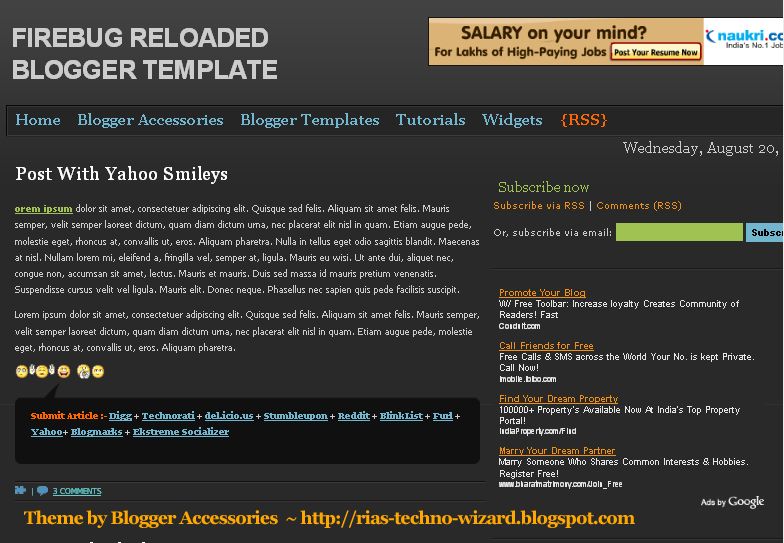
firebug Reloaded Blogger Template

Firebug reloaded theme is for those who like Dark Backgrounds.

Main features of FireBug Reloaded :

* Adsense Ad 468 x 60 on header right side.

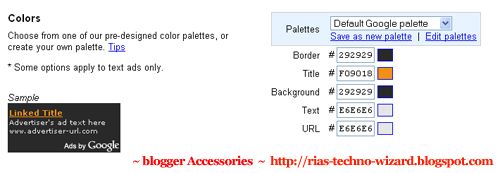
- To suit the header background , please apply these settings in adsense ad set-up.

Adsense Ad customization to suit Firebug Blogger template

If you want to use search form instead of Adsense Ad then Please Insert this Code in the HTML widget.

< <div id="topsearch">

<form id="searchForm" action="/search" method="get">
<input id="s" class="swap_value" value="Enter your keywords here" name="q" type="text">
<input id="go" alt="Search" src="http://i286.photobucket.com/albums/ll96/themelib/firebug/go.gif" title="Search" type="image">
</form>
</div>
<div class="clear">

</div>


* Page Navigation Menu Hack with some Bugs fixed.

Page Navigation hack for Firebug theme
* Top navigation Menu with Date calender on Right side.

* Subscription Form on Sidebar.

- To have subscription form on sidebar , please insert this code in a HTML/JAVASCRIPT widget.

<a href="http://feeds.feedburner.com/TechnoWizard" class="rss" rel="alternate" type="application/rss+xml">Subscribe via RSS</a> | <a href="http://feeds.feedburner.com/TechnoWizard">Comments (RSS)</a>
<br/><br/>

<form action="http://www.feedburner.com/fb/a/emailverify" target="popupwindow" method="post" onsubmit="window.open('http://www.feedburner.com', 'popupwindow', 'scrollbars=yes,width=550,height=520');return true">Or, subscribe via email: <input class="subscribetext" name="email" type="text"/><input value="http://feeds.feedburner.com/~e?ffid=1488667" name="url" type="hidden"/><input value="Blogger Accessories" name="title" type="hidden"/><input value="en_US" name="loc" type="hidden"/> <input value="Subscribe" class="subscribebutton" type="submit"/></form>

Please replace the text in RED with your own links and code.

* Related posts Widget is Installed.

* Social Bookmarking Widget is also included.

- I have included Post submission links only for Top 10 Bookmarking sites. If you want to include more sites , ask in Comment form I will send the code for remaining sites also.

* Comments with Mybloglog feature enabled. I will write a post soon on this hack.

* Three 125 x 125 Ads section on sidebar.

- To enable this feature , please copy and paste the code.


<a href="#Advertise" class="ads"><img border="0" alt="Ad" src="http://i263.photobucket.com/albums/ii150/mohamedrias/ad.gif"/></a>


I hope you will encourage me to create more templates like these.


If you guys need any Blogger Hack or modification , please tell me in comment form . I can even modify template to your wish for free.

FRAMED THREE COLUMN BLOGGER TEMPLATE

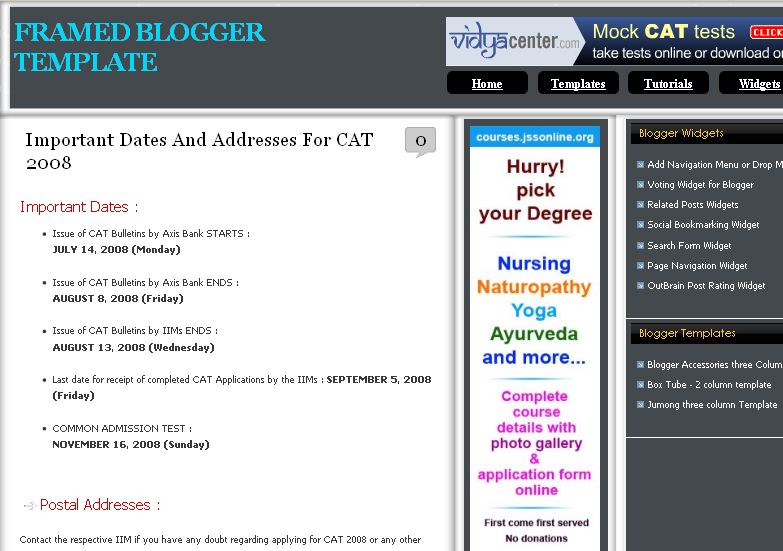
Today I am going to Introduce my third three Column Blogger Template called " Framed Blogger Template". I am Calling it as Framed Blogger template , because this Template has borders for each section like header , Content , sidebar , etc. Now I am testing this Blogger Template in my own Blog.

 Framed three Column Blogger template

Main features of this Framed Blogger Template :


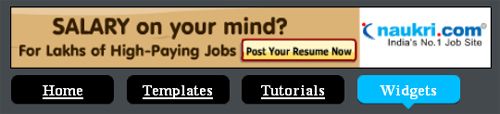
1. On the right side of the header you can see two widgets in your Layout section ( both are locked). In Top HTML widget you can add Adsense ad or any other HTML code.

The bottom Top Menu widget is only for showing navigation links.

Adsense Ad with navigation menu


2. Author Comments in different style hack is included.

3. Page navigation Hack.

- In this framed Blogger template I am introducing my next Page Navigation widget with some bugs fixed and with a new CSS style. Now this Page Navigation widget contains links for First page and Last page.

Page Navigation Menu

4. Two sidebars on right side. ( 180px and 280px )

5. Best adsense Placement options for higher CTR.

6. Related posts Widget is included.

7. Adsense ad 468 x 60 is placed at the bottom of the post , please replace the code with yours. ( this adsense ad will be shown only in Post pages. I will write an article on this very soon)

This work is done under Creative Commons License 3.0 , so please don't remove the footer credits.


you can modify the script to suit your template , but you can't redistribute any script included in this template , without my permission.

Demo of Framed Blogger template

Framed Three Column Blogger template

I hope you will welcome this Blogger template and encourage me to create more templates like these.

my next Blogger template : Firebug reloaded

Blogger Accessories Three Column Blogger Template

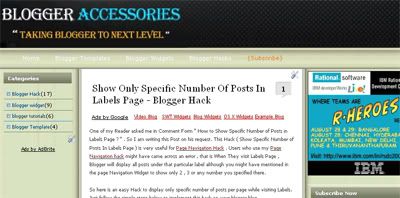
Today I am going to Publish my first Three Column Blogger Template. This Three Column Blogger Template has two sidebars on Left and Right side with Content in Center. This three column template contains valid CSS .

 Blogger Accessories three column blogger Template


Main Features of this Three Column Blogger Template.


* Adsense 468 x 60 ad on header top

* SEO page title Hack is also included.

* Navigation Menu is included

* Numbering Blogger Comments Hack is also included.

* Unique CSS style for Author comments is also included inorder to distinguish author comments from others.

* Display only specific number of posts in Lables Page hack included.

* Related Posts Widget is also included

* Page Navigation Menu of my CSS style.


*Comment Form is embedded below each post.


This Work is done under creative commons License 3.0


So please don't remove the footer credits.
If you want to see the template in Action , please have a look at my own Blog because I am using this template only.

Blogger Accessories Three Column Blogger Template.


I hope all of you will welcome this new three column template. Please leave a comment so that i can modify this template further.

Free Blogger Templates

We are really proud to present you premium quality blogger templates for free here at Blogger Accessories . This is only the beginning We will upload more blogger templates soon. We will post atleast one blogger template per week .

License : All this templates comes under creative commons 3.0 License . According to creative commons 3.0 you should keep the footer credits.

Box Tube Template :


it's a two Column Blogger Template. This Template includes navigation bar , feedjit Widget , Social bookmarking sites widget , 3 column footer , related Posts hack , etc


--------------------------------------------------------------------------------------------------------
Jumong Blogger Template
:


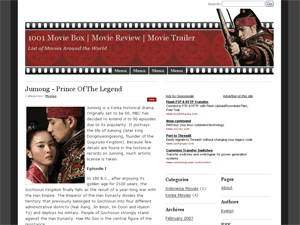
Jumong is an exclusive Wordpress theme which I converted to Blogger recently . It's a three column widgerized Blogger Template.


more templates coming soon........

Jumong 3 column Blogger Template

jumong blogger template , 3 column blogger template,


Jumong theme is based on a popular Korean historical drama series. Initially I saw this template on a wordpress blog. It was a wordpress theme. I surfed search engines for a blogger version . But i came to know that jumong template is available only for wordpress,not for blogger . But I am really inspired by this template . So i decided to convert this wordpress jumong 3 column template to blogger beta template. This is my first template . It initially took lot of time , but finally i have converted this jumong wordpress template to blogger. And now I am testing this template on my own blog. I got no errors so far. And also it is tweaked for seo and also this template contains blogger hacks like ,

1. Related Articles

2. Swap Title for SEO

3. Label or Tag cloud

4. faster Loading

5. Meta Tag included , just replace the description and keywords with your own.

6. Bookmarking links for technorati , digg , del.icio.us , blink , etc

How to Add Adsense Ads below post title on blogger :

First check expand widgets template , The search for <div class='post-header-line-1'/> then add google adsense ad code immediately below that line .

How to show Google Adsense Ads only in post pages :

it's very simple , just add this code

<b:if cond='data:blog.pageType == &quot;item&quot;'>

put adsense ad code here

</b:if>

Do you want to show the related Posts widget in blogger :

Javascript needed for related posts widget is already added in the template itself , you just need to paste the following code in place you need the widget to appear ,

<script type='text/javascript'>
removeRelatedDuplicates();
printRelatedLabels();
</script>


If you want to add related posts widget below the post content in blogger , then in layout section check expand widgets . Search for <p><data:post.body/></p> , add the code below this line.

blogger demo : Blogger Plaza

This template is licensed under the Creative Commons Atribution License, so please do not remove the footer credits. I have worked hard to convert this wordpress theme to blogger.

Download Jumong Blogger template


Box Tube Blogger Template

As I told before i converted Box-tube wordpress theme to blogger. Yes , People who use Blogger can also use Box tube 2 column blogger template. I have converted this wordpress theme to blogger on my friends request. Other visitors can also ask me to convert their famous wordpress theme to blogger. I will do it for free.


Main Features of Box tube blogger template :

* 468 x 60 banner ad on header

* navigation bar

* Feeds widget on sidebar

* Feedjit Widget

* Social Bookmarking Widget on post footer

* 3 column footer

* favicon included , just change the img url to yours

* Swap title Hack for better seo results

* related posts hack

* Meta Tags included , just change it to suit your site

This Box-tube Wordpress template was first created by Dezzain . You can download box-tube wordpress theme on dezzain studio .

screenshot :


This template is done on Creative Commons License 3.0 . As per the Creative commons License you should not remove the footer credits from template , but you can edit to match your idea. Blogger version is created by Blogger Plaza and Blogger Accessories

demo for Blogger version of Box tube template is here at BOX TUBE BLOGGER TEMPLATE

Download Blogger Version : Box-tube blogger template

Please leave your comments so that i can know how much you like this template.

thanks for reading , see you soon with a new template.

Custom Search
Web Analytics